
Easy Piano: Learn & Play Songs
Neli CreativeMusic & Audio
4.615.00 Reviews
- Version
- 1.4.6
- Installs
- 100.00K
- Age Rating
- Everyone
Screenshots
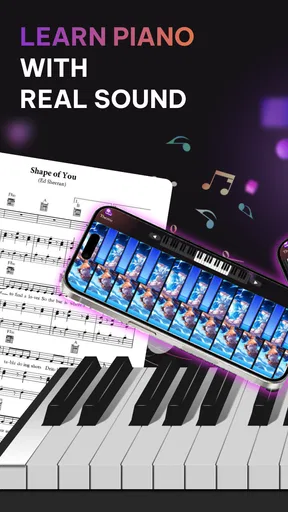
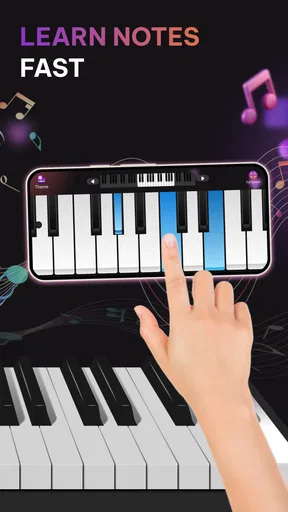
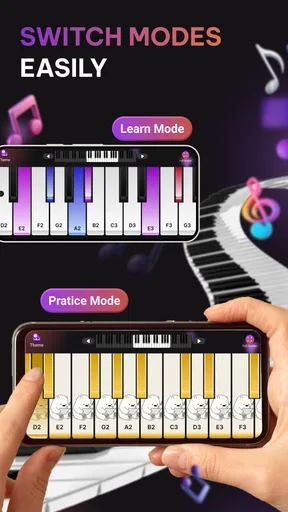
Our Review of Easy Piano: Learn & Play Songs
 Analysis by Appyee
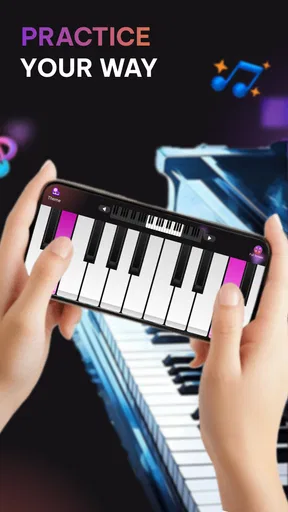
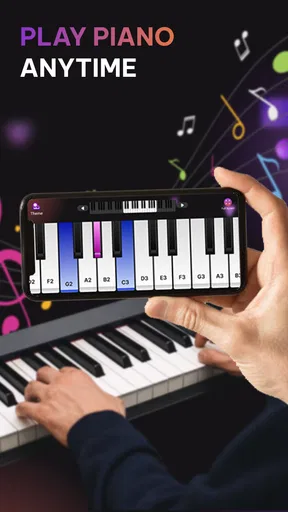
I approached Easy Piano: Learn & Play Songs as the kind of music app you open when you want a quick piano session without carrying a keyboard. Developed by Neli Creative, it turns a phone or tablet into a playable piano interface and aims at a very practical idea: use spare moments to practise notes, try songs, and become more comfortable with the layout of the instrument.
That simplicity is its main appeal. This is not an app I would choose as a replacement for a teacher, a full digital piano, or a serious composition workstation. I see it more as an accessible starting point and a convenient practice companion. You can reach for it during a quiet break, test a melody before forgetting it, or let a beginner explore the keyboard without first buying equipment.
The app is free and suitable for Everyone, which makes the barrier to trying it pleasantly low. Its current version is 1.4.6, and it runs on Android 9 or later. With over one hundred thousand installs and a 4.6 average from more than two hundred ratings, it has clearly found an audience among people looking for a straightforward mobile piano experience.
How the keyboard feels in everyday use
The first thing I noticed is that a touchscreen piano changes the way I think about practice. On a physical keyboard, the size, resistance, and spacing of the keys naturally guide your hands. On a phone, the display is much smaller, so the experience depends heavily on how carefully I place my fingers. That makes the app approachable for tapping out a tune, but less comfortable for extended two-handed playing.
For a beginner, this can actually be useful. The visual keyboard gives you an immediate reference point, and you can experiment without worrying about playing loudly or disturbing anyone nearby. I found it especially suitable for learning the rough shape of a melody: locate a note, repeat it, add the next one, and gradually build a phrase. That process feels less intimidating than sitting at a full-size instrument for the first time.
My practical advice is to begin with short musical phrases rather than attempting a complete song immediately. A phone keyboard rewards deliberate movement. If I tried to rush, my fingers often landed too close together, particularly when several notes were adjacent. Slowing down helped me hear whether the sequence was right and made the practice feel more controlled.
On a larger screen, the basic idea becomes more comfortable because each key has more room. A tablet is therefore a better fit for anyone who expects to practise regularly, while a phone is more convenient for quick sessions. That distinction matters: the app is easy to carry, but portability and playing comfort are not the same thing.
Where connectivity becomes part of the experience
A mobile music app is often used in places where the network situation changes. I might open it at home with a reliable connection, then try to use it during a commute, in a waiting room, or somewhere with weak reception. Any song-learning or content-loading step that depends on communication with the service can feel slower in those moments, so I would prepare the material I want to use before leaving a dependable connection.
I would not treat connectivity as a minor technical detail. It affects the rhythm of a practice session. When everything is ready, I can focus on playing. When something needs to load unexpectedly, the musical flow is interrupted and the app starts to feel more like a phone utility than an instrument. For a short exercise that may be harmless; for a learner trying to repeat a passage several times, it can be frustrating.
This is why I prefer using it as part of a small routine rather than relying on it spontaneously for every situation. At home, I can open the app, select what I want to work on, and keep the session focused. Before heading out, I would check that the relevant screen is already available instead of assuming every part of the experience will behave identically in a poor-signal area.
That approach also helps separate two different uses. If I simply want to tap a few notes and remind myself where they sit, the app can be useful in a mobile setting. If I expect a fully uninterrupted lesson-like session, network conditions may become more noticeable. The difference is not about musical ability; it is about how much preparation the situation allows.
Useful mobile scenarios, and where the small screen gets in the way
One realistic use is a ten-minute break during the day. I can use that time to repeat a simple melody, identify the next few notes, or warm up my fingers. The app is less demanding than setting up a physical keyboard, and it does not require me to turn a short break into a formal practice block. For someone who is trying to build consistency, that low setup effort is valuable.
Another good scenario is testing an idea before it disappears. If a melody comes to me while I am away from an instrument, a phone piano can give me a quick way to find its outline. I would not expect the touchscreen to capture the nuance of a performance, but it can help me remember the order of the notes and decide whether the idea is worth developing later.
It also works for a parent introducing a child to the basic concept of a keyboard. The Everyone age rating and simple visual format make it less intimidating than a complex music workstation. I would still supervise a young child’s session, not because the musical interface is inherently difficult, but because short, guided exploration is more likely to become a useful learning experience than random tapping.
The trade-off appears when a song requires broad hand movement, quick repeated notes, or precise coordination between both hands. A phone screen can make those tasks cramped. In that situation, a tablet or physical keyboard is the better tool. Easy Piano is strongest when convenience matters more than authentic key feel.
What happens when a session is interrupted
Mobile practice rarely happens in a perfect bubble. Notifications, calls, a locked screen, or a change in connection can break concentration. I found it helpful to treat each session as a small, recoverable exercise rather than assuming I would complete a long uninterrupted performance. Working on one phrase at a time means an interruption costs less.
If the app is interrupted while I am playing, I would first return to the same musical goal instead of trying to reconstruct every tap. For example, I might repeat the last two or three notes slowly, then continue. This is a better recovery method than rushing back into the whole song, because it turns the interruption into a reset point rather than a source of confusion.
Connectivity deserves the same kind of patience. If a screen takes longer to respond or content does not appear immediately, repeatedly tapping can make the situation harder to understand. I prefer waiting briefly, checking the connection, and reopening the relevant part only if necessary. That may sound obvious, but it prevents a small delay from becoming a messy session.
The app’s simplicity helps here. There are not layers of studio controls competing for attention, so returning to the keyboard feels relatively direct. However, simplicity also means I would not expect the recovery tools found in a dedicated digital audio environment. If you need elaborate session management, detailed recording control, or a complete lesson history, a more specialized product will suit you better.
Using it without wasting mobile data
For data-conscious users, the sensible habit is to do preparation on a trusted connection and keep mobile sessions focused. I would avoid repeatedly opening and closing screens while travelling, especially if I am only trying to practise a short passage. One deliberate setup is more efficient than several exploratory reloads.
It is also worth deciding what the session is for before opening the app. If I want to practise a melody, I can go straight to that task. If I want to browse and experiment, I would save that for a situation where connection quality is not a concern. This distinction reduces unnecessary activity and makes the app feel faster because I am not asking it to do more than I need.
There is a useful trade-off here between spontaneity and control. The phone format encourages spontaneous playing, but connectivity can make spontaneous use less predictable. A little planning preserves the convenience without turning the app into a data-heavy part of the day. I would especially recommend this approach to anyone with a limited mobile plan or an unreliable signal during their commute.
Another practical tip is to keep practice goals narrow. Rather than spending a long session moving through every available option, I would choose one song or one musical pattern and stop once the exercise has done its job. That is good practice technique anyway, and it also avoids unnecessary browsing when using mobile data.
How it compares with the usual alternatives
Compared with a physical keyboard, this app wins on availability and loses on touch. A real instrument gives me more space, clearer separation between notes, and a more natural way to develop finger control. It also demands more room and money. Easy Piano is the option I would choose when I want access immediately, not when I am trying to reproduce the full physical experience of piano playing.
Compared with a teacher, it offers freedom but not personal correction. A teacher can notice tension in the hands, adjust posture, change an exercise, and explain why a passage feels difficult. The app can support repetition and exploration, but it cannot take responsibility for the learner’s technique. I would use it alongside instruction, not as evidence that instruction is unnecessary.
Compared with a full music-production app, its advantage is focus. A workstation may offer recording, editing, effects, multiple instruments, and arrangement tools, but that extra power can distract someone who only wants to play notes. Easy Piano is more approachable for a first step. The downside is that users who want to build complete tracks or shape detailed performances will soon need something more capable.
Compared with a lesson-focused piano service, the choice depends on the learner’s priority. If structured progression, feedback, and a formal curriculum are essential, a dedicated learning platform may be the stronger option. If the goal is to get a playable keyboard into a pocket and practise songs casually, this app is more direct and less demanding.
Who should try it, and who should skip it
I would recommend it to curious beginners, casual players, parents looking for a gentle introduction, and existing players who want a convenient way to sketch out a melody. It is also a good fit for someone who is not ready to purchase a keyboard but wants to discover whether piano practice is enjoyable enough to continue.
I would be more cautious about recommending it to advanced pianists, performers, or learners working on serious two-handed technique. The touchscreen cannot provide the same feedback as weighted keys, and the compact layout can make demanding passages awkward. For those users, the app may still be handy for recalling notes, but it should not become the main instrument.
I would also skip it if your main goal is professional music production. Its appeal is the direct act of playing, not the depth of a studio workflow. Choosing it for advanced recording needs would create disappointment because the convenience that makes it friendly to beginners is also what keeps it focused.
My connectivity verdict
After using it as a portable piano, I see connectivity as a factor that rewards preparation rather than a reason to dismiss the app. At home or in another stable environment, the experience is easiest to manage. In changing network conditions, I would keep sessions short, open what I need in advance, and avoid assuming that every part of the app will feel equally immediate.
The strongest quality here is accessibility. Neli Creative has made a free music and audio app that puts a familiar piano concept within easy reach, and its 4.6 average reflects that many users find the approach worthwhile. The audience size, with more than one hundred thousand installs, also suggests that this is not an obscure experiment.
My final view is positive, with clear limits. Easy Piano: Learn & Play Songs is a useful pocket practice tool, a friendly first contact with piano, and a convenient way to test melodies. Choose it for accessible everyday playing, not for the feel or precision of a real keyboard. If you accept that trade-off and plan around mobile connectivity, it can turn small spare moments into genuinely useful musical practice.
Verdict
Strengths of Easy Piano: Learn & Play Songs
- Simple lessons make the app approachable for complete beginners.
- Song practice helps users stay motivated while learning piano basics.
- Interactive notes provide immediate feedback during exercises.
- Short sessions fit easily into daily practice routines.
- Useful for learning at home without needing a physical teacher.
Limitations of Easy Piano: Learn & Play Songs
- Advanced players may find the lessons too basic over time.
- Some songs or lessons may require in-app purchases to unlock.
- Accurate timing can be difficult on smaller phone screens.
- Progress may feel limited without access to premium content.
- Audio quality depends on the device’s speakers or connected headphones.
Other Releases by Neli Creative
View All
Origami World: Learn & Play
Art & Design4.2

Live 3D Charging Animation
Personalization4.1

Cute Keyboard: Sound & Emoji
Personalization4.3

Mechanical Keyboard: RGB Theme
Personalization4.6
Similar Picks in This Category
View All
YouTube Music
Google LLC4.4

Samsung Music
Samsung Electronics Co., Ltd.3.8

Spotify: Music and Podcasts
Spotify AB4.3

JioSaavn - Music & Podcasts
Saavn Media Limited4.3

Lark Player:Music Player & MP3
Lark Player Studio - Music, MP3 & Video Player4.6

StarMaker: Sing Karaoke Songs
SKYWORK AI PTE. LTD.4.3
Frequently Asked Questions
What is Easy Piano: Learn & Play Songs?
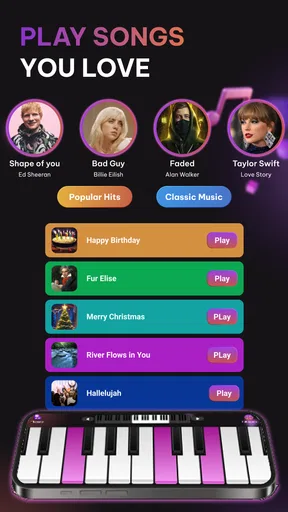
Easy Piano: Learn & Play Songs is a beginner-friendly mobile piano app designed to help users practice melodies, learn popular songs, and become familiar with basic keyboard playing. It typically combines an on-screen piano with guided lessons, song tutorials, and interactive notes, making it suitable for casual learners who want to practice without owning a physical piano.
Is Easy Piano: Learn & Play Songs suitable for complete beginners?
Yes, the app is mainly aimed at beginners and users with little or no previous piano experience. Its simplified keyboard layout, guided song practice, and step-by-step approach can make it easier to understand notes and timing. However, users should still practice regularly, since the app supports learning but cannot fully replace a teacher or structured music course.
Does Easy Piano: Learn & Play Songs require an internet connection?
Some features may work offline after the necessary content has been loaded, but an internet connection can be required for downloading songs, receiving updates, displaying advertisements, or accessing certain lessons and online features. Availability may vary depending on the version and device. It is best to open the app once while connected before attempting to practice offline.
Is Easy Piano: Learn & Play Songs free to use?
The app may be available as a free download, but free access can include advertisements, limited song selections, or restrictions on advanced lessons and features. Optional in-app purchases or subscriptions may unlock additional content and remove certain limitations. Before downloading, review the store listing carefully so you understand which tools are included without payment.
Can Easy Piano: Learn & Play Songs replace a real piano or professional lessons?
Easy Piano: Learn & Play Songs is useful for learning basic melodies, practicing rhythm, and becoming comfortable with piano notes, but it should not be considered a complete replacement for a real instrument or professional instruction. The virtual keyboard may not reproduce the feel of weighted keys, and the app may not cover posture, technique, expression, or advanced music theory in depth.
